Customer Loyalty Platform
Powered by BLOYL™. From straightforward programs through to complex multi-brand ecosystems
Features
Services
By Use Case


Features
Services
By Use Case
|
How this guide was prepared. Last updated October 2026. It draws on Brandmovers' experience designing loyalty programs and member communications. It also draws on Apple and Google developer documentation, each checked at its source. |
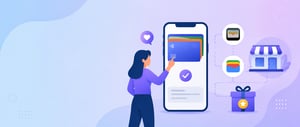
Mobile wallet loyalty puts a member's loyalty card in Apple Wallet or Google Wallet as a digital pass that shows their balance and status, can be scanned or tapped at checkout, updates when their account changes and can appear on the lock screen near a store, without the member installing a separate app.
A physical card or a portal login keeps the program out of sight between purchases. A wallet pass sits where many members already keep payment cards and tickets. It does not replace a loyalty app, which can do far more, but it gives members who will never download an app a visible, current card. This guide explains how wallet passes work, how Apple and Google differ, what updates and notifications can and cannot do, how passes connect to a loyalty platform, and how to design, distribute and measure them.
|
A wallet pass is a structured, signed data file that Apple Wallet or Google Wallet displays as a branded card and updates when the issuer's system sends new data.
Each pass combines fixed design elements (logo, colors, program name) with member-specific data (name, member ID, balance, tier, a barcode or QR code). The member never sees the file, only the card. When the loyalty platform records a change, such as points earned or a new tier, the pass management system updates the pass and the member sees the new values the next time they look.
The two platforms build passes differently:
Loyalty teams can build this in-house or use a pass management platform. Pass management platforms handle certificates, API authentication, templates, issuing and updates, and connect to the loyalty platform through an API or webhooks. The loyalty platform buyer's guide covers how to evaluate the platforms that sit underneath.
Apple and Google support the same basic loyalty card, but they differ in how updates notify members, how location features work and what NFC requires.
|
Feature |
Apple Wallet |
Google Wallet |
|---|---|---|
|
How passes are built |
Signed pass files; the issuer's server sends a push notification and the device fetches the updated pass |
Google Wallet API with a Class (template) and an Object (member pass) |
|
Update alerts |
An alert appears when a field that has a change message is updated |
Setting notifyPreference to "notifyOnUpdate" triggers a notification when a supported field changes: the points balance on the member's Object, or the rewards tier or program name on the Class, which all members share. A message sent with the TEXT_AND_NOTIFY type also triggers a notification |
|
Notification limits |
No numeric cap in the Apple documentation cited here; an alert appears only when a field with a change message is updated |
At most 3 notifying updates and 3 notifying messages in a 24-hour period |
|
Location features |
Up to 10 relevant locations and up to 10 iBeacon UUIDs; the pass is shown on the lock screen when relevant, with optional relevant text |
Up to 10 locations per class and 10 per object; Google decides the distance and timing and writes the notification text |
|
Member requirements |
Pass added to Wallet |
Wallet notifications enabled; precise, always-on location access for nearby notifications |
|
NFC redemption |
Requires an Apple NFC certificate, Apple Pay and VAS-certified terminals, and point-of-sale software that supports VAS modes |
Uses Smart Tap, Google's proprietary NFC protocol, which requires certification, Smart Tap-capable terminals and point-of-sale software that processes the pass value |
|
Recent additions |
Not covered in this guide |
Announced October 2025: nearby notifications for all regular pass types; loyalty passes added automatically from Gmail for users with Gmail's Smart features control on; Smart Tap merchants can request to pilot post-tap enrollment ("Bounceback") |
Sources: Apple, Showing a Pass on the Lock Screen; Apple, PassFieldContent; Apple, Loyalty Passes; Google, Trigger Push Notifications (loyalty cards); Google Wallet release notes; Google, Smart Tap.
Wallet notifications can confirm points, tier changes and important updates, and both platforms allow some promotional messages, but each platform limits how and how often they are sent.
On Apple Wallet, an update produces an alert only for fields configured with a change message, and Apple's loyalty pass page describes notifying customers "in thoughtful ways". On Google Wallet, a field update triggers a notification only for supported fields: the points balance on the member's pass, and the tier and program name set for the whole program. A message sent with the TEXT_AND_NOTIFY type also triggers a notification. Google allows a maximum of 3 notifying updates in a 24-hour period, applies the same limit of 3 to notifying messages, and may throttle delivery if it judges that an issuer is spamming users. Members can also turn notifications off.
Apple's loyalty page presents notifications as a way to tell customers about products and services and to broadcast program updates, but the platform limits, and the fact that members must keep notifications on to receive them, make wallet alerts better suited to service messages than to routine campaigns.
Good uses:
Poor uses are weekly balance summaries, generic promotions and messages that make the member open the pass to find out what changed. Because members can switch off notifications or remove the pass, over-use can cost the program the channel. Coordinate wallet alerts with email, text and app messages so members are not told the same thing three times; the guide to Next Best Action covers choosing channel and timing per member.
Both platforms can bring a pass forward near a store, but Apple shows the pass on the lock screen while Google sends a notification it controls, and neither lets a brand cover every store at once.
For chains with many stores, set each member's locations from their purchase history, such as their most visited stores (on Google, on the member's Object, since Class locations apply to everyone), update them when their pattern changes, and say in the privacy notice that purchase history is used this way. As an illustration, a regional grocery chain with 60 stores cannot list every store on a member's pass, so it fills the pass with that member's most visited stores and the nearest alternatives, up to each platform's limit, and refreshes the list monthly from transaction data. Keep location features to the brand's own stores and events.
The loyalty platform stays the system of record, and it must send member events to the pass management layer so each pass stays current.
The loyalty platform needs to expose, by API or webhook: enrollments (to issue a pass), balance changes, tier changes, reward expiry and offer changes. The pass management platform turns each event into a pass update and, where allowed, a notification. Check that the loyalty platform's APIs can send these events in near real time, and decide which system owns notification rules so the two do not both send messages.
|
Loyalty event |
Trigger in the loyalty platform |
Pass update |
Possible alert |
|---|---|---|---|
|
Member enrolls |
Enrollment event |
New pass issued by email, text, web or QR link |
None needed; the member adds the pass |
|
Qualifying purchase |
Transaction posts, balance changes |
Balance field and tier progress update |
Earn confirmation (within each platform's limits) |
|
Tier change |
Tier event |
Tier field and benefits update |
Tier change message |
|
Reward nears expiry |
Expiry flag a set number of days before |
Offer or reward field shows expiry |
Expiry reminder |
|
Time-limited offer |
Campaign activates for a member segment |
Offer field updates for eligible members |
Offer alert, used sparingly |
|
Member near a store |
Location relevance on the device |
None; the pass surfaces on Apple, and Google may notify |
Apple: relevant text on the lock screen; Google: Google-written nearby notification |
On Google Wallet, only a balance change on the member's pass triggers a field-update notification; tier, expiry and offer alerts for an individual member are sent as TEXT_AND_NOTIFY messages, within the same limit of 3 in 24 hours. On Apple Wallet, each alert needs a change message on the updated field.
BLOYL™, Brandmovers' loyalty platform, provides the system-of-record side of this: a dynamic rules engine for earning and redemption, real-time dashboards and bidirectional CRM and CDP data flows. A pass management provider would need to receive those member events, so confirm how the two systems connect before building.
Put the member's most useful current information on the front of the pass, translate balances into value, and keep one field for offers that actually change.
Offer the pass at moments when intent is highest: right after enrollment, at checkout and in existing member communications.
Follow Apple's and Google's badge guidelines for the add-to-wallet buttons.
Measure wallet passes as a channel: how many members add and keep them, and whether pass holders behave differently from comparable members without one.
Get consent for each channel used to deliver or promote passes, keep location use to what members expect, and explain in the privacy notice how pass data is used.
On Google, nearby notifications depend on the member granting location access to Google Wallet, and Google controls the timing and text. On Apple, relevance for a loyalty pass is set mainly by the locations and beacons listed in the pass. Keep location features to the brand's own stores, describe pass features in the program terms and privacy notice, and follow text-message consent rules when sending pass links by SMS. Programs for age-restricted products, such as alcohol, tobacco or lottery, should review Apple's and Google's pass content policies and apply the same age checks to pass distribution as to the rest of the program. On Google, links in pass messages must relate to the pass; Google states that linking elsewhere violates its Acceptable Use Policy. This is general information, not legal advice.
A wallet pass gives a loyalty program a visible, current card in a place many members already use every day, without asking them to download an app. The limits matter as much as the features: Google caps notifying updates and controls nearby notifications, Apple shows passes by relevance and alerts only on configured field changes, and NFC needs certified hardware and software. Treat the pass as a channel on top of the loyalty platform, connect it to member events, design it around the member's current value, offer it at high-intent moments and measure pass holders against comparable members. The guide to Millennial and Gen Z loyalty covers designing for younger, mobile-first members.
|
Planning a wallet layer for your loyalty program? Brandmovers designs and runs loyalty programs on BLOYL, with real-time dashboards and bidirectional CRM and CDP data flows. Request a demo to talk through your member experience with the Brandmovers team. |